Releasing AMO
Until August 22nd 2024, we managed our release documents manually in the addons repository (see release-docs.rst).
Currently, addons-server and addons-frontend are the only repositories deploying via github releases.
Creating a new release
To create a new release, use the draft release workflow.
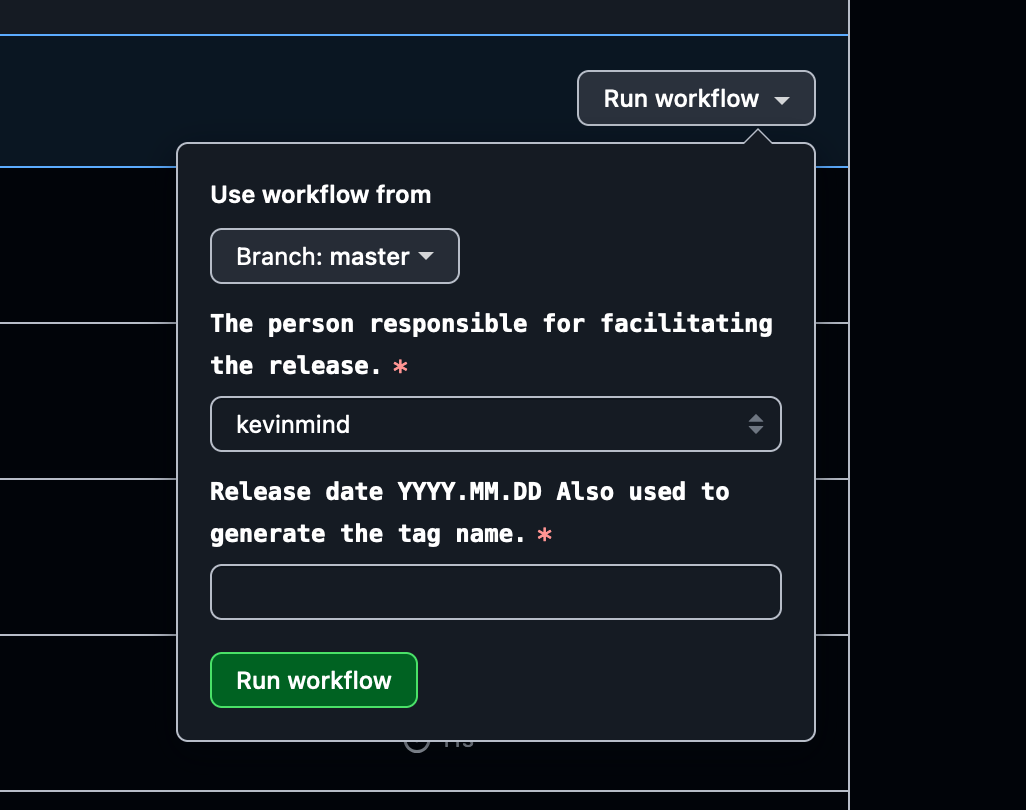
This will create a new draft release in the repository. This release can be updated with instructions and things to note for the next push.
You need to set the push hero (see push-duty for the rotation) as the assignee for the draft release. and the next push date, in YYYY.MM.DD format. This should be 2 weeks after the current push, the exact date will correspond with the next jira sprint.
Deploying to stage
During the release process, we can trigger a staging deployment for addons-server by publishing the current draft release that should have been created at the end of the last push. It will likely be the first release in the list and will match the current push tag date.
Handling addons-frontend
addons-frontend is deployed separately from addons-server. The same process of creating and publishing a new release applies to addons-frontend.
addons-frontend blog-utils is currently not using GitHub Actions, so manual tagging is required. See [tag-services][./tag-services.md]. Once the tag has been pushed, CI will run and a new npm packaged will be pushed.
You can then go back to addons-server draft release to update the compare link to the previous tag for addons-frontend.
Publishing a release
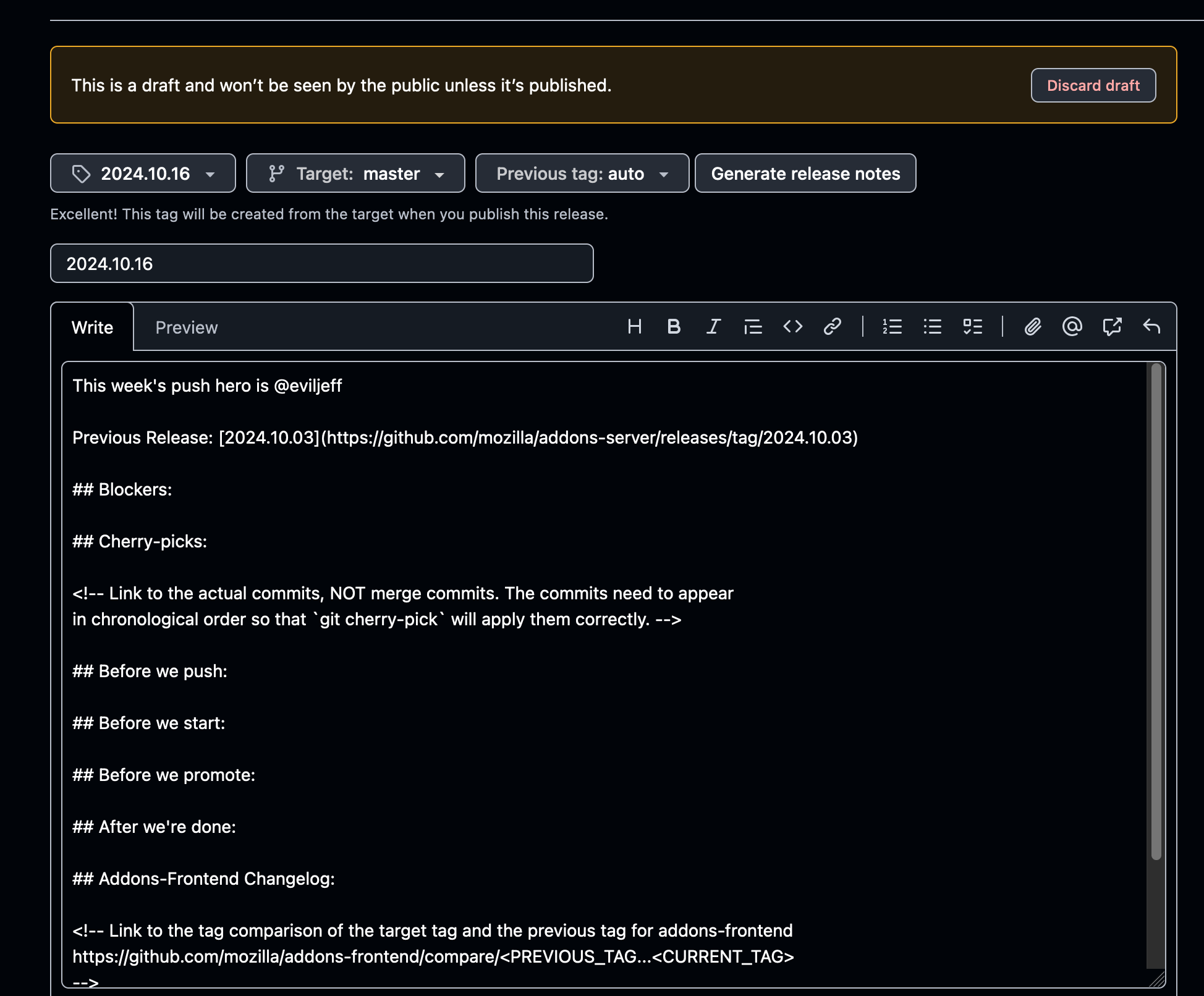
In order to publish the release, click the edit icon at the top right of the release card.
Update the release notes by clicking the
Generate release notesbutton.Publish the release by clicking the
Publish releasebutton.Include the compare link for
addons-frontend. See tagging for details.
Warning
Make sure that the release is tagged as “latest”. This is the default behavior but don’t accidentally un-check it.
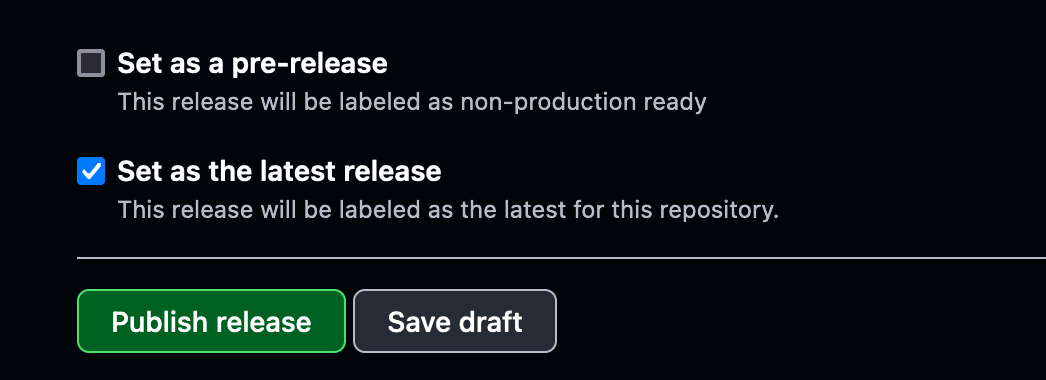
Publishing a release will trigger the release workflow.
The workflow will:
generate a tag for the release based on the specified tag (should use the date timestamp see tag-services)
run our full CI pipeline on the tag
trigger a stage deployment for the tag
Failing CI
Github unfortunately does not link workflows to releases that triggered them. You can inspect Failed CI to see workflows triggered by a release event that failed.
Tip
We should include slack notifications for failed CI, especially on deployment triggering workflow runs.
Deploying to production
Follow documentation in Confluence about how to deploy with ArgoCD.